 StoryFetcher
StoryFetcher needs an account to look through before it can save anything. In the app, an account is one Instagram or Facebook sign-in. Want two Instagram accounts and a Facebook page? Fine. Each one keeps its own sign-in, so the family page and the studio account never get mixed up.
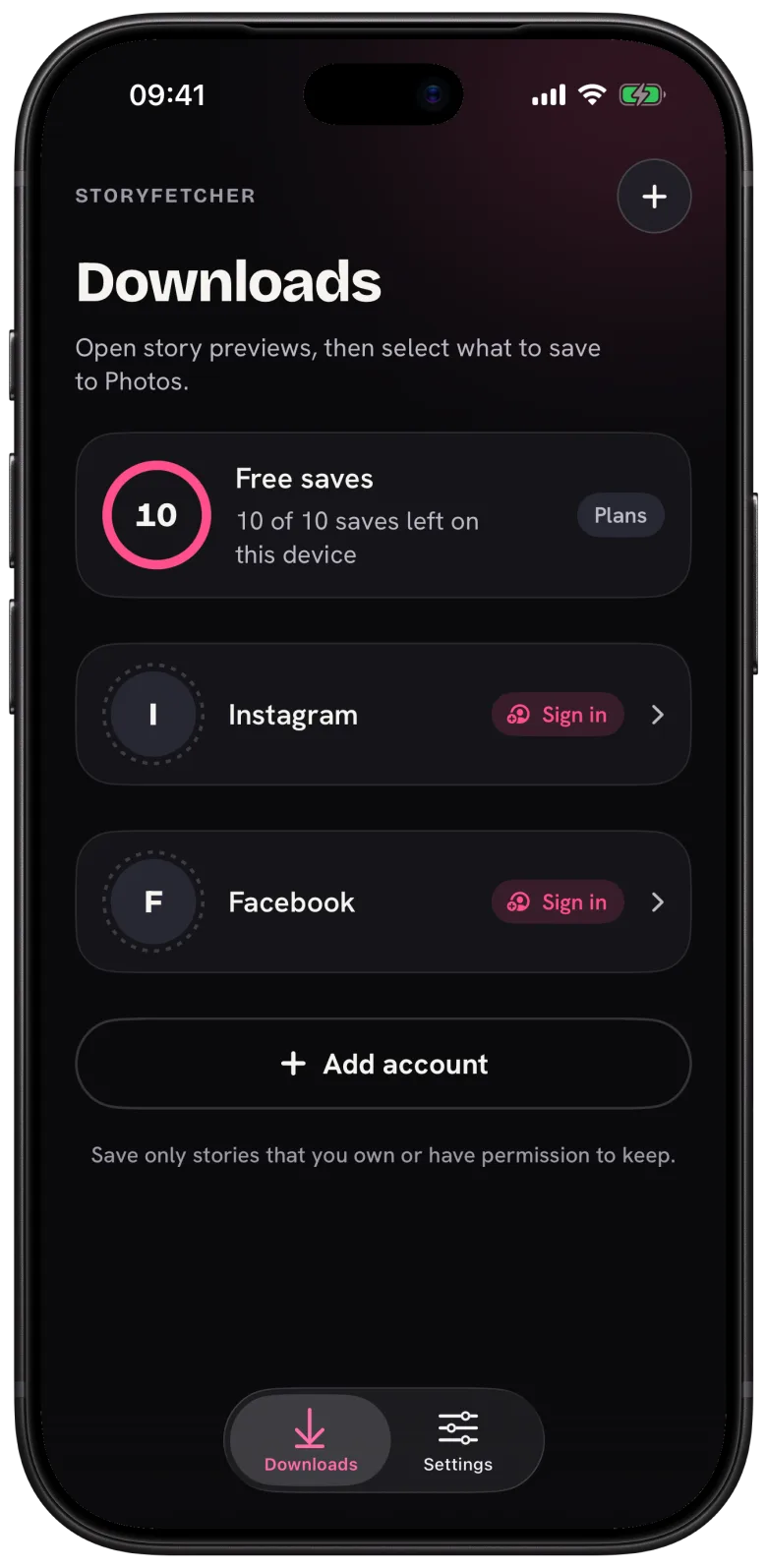
- Open Downloads.
- Tap Add account, or the + at the top.
- Choose Instagram or Facebook.
- Type a label, like Studio or Family page.
- Tap Continue to sign in.
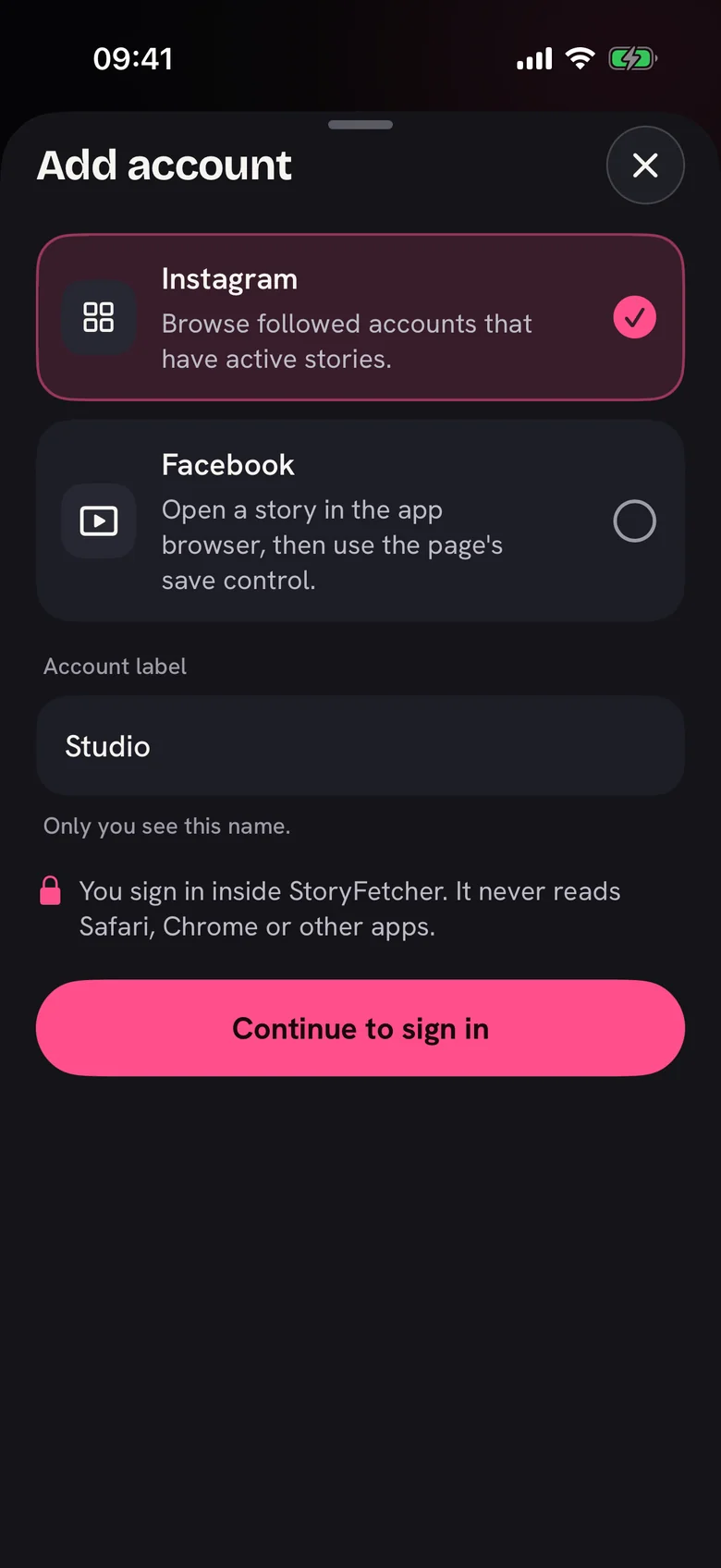
The label is only for you. Instagram never sees it, so Studio (the good one) is a perfectly valid name. With four or five accounts in the list, a short label saves you some squinting.
How many accounts can you add? On the free plan, as many as you want. On a paid plan, the plan sets how many stay active at the same time, and Plans and access shows the number. When a plan ends, nothing gets deleted. You just pick which accounts stay active.
Right after you tap Continue, the real Instagram or Facebook sign-in page opens inside the app. Until you sign in, the account shows a Sign in label in Downloads.
Questions people ask
Do I need the Instagram or Facebook app installed?
No. You sign in inside StoryFetcher. It does not use the Instagram app, the Facebook app or your browser.
Can I add two Instagram accounts?
Yes. Give each one its own label. They live in separate storage and never touch each other.
Can I change the label later?
Not directly. Remove the account in Settings and add it again with the new label. It takes a minute.
How do I remove an account?
Settings, then Saved accounts, then Remove. That deletes its sign-in from the app. Your saved stories stay in your photo gallery.
Keep reading
What is StoryFetcher? An app to save Instagram and Facebook stories
What the app does, who it is for, and what it does not do.
How to sign in to Instagram or Facebook safely in the app
Where the sign-in page opens and where your sign-in stays.
How to choose the Instagram stories you want to save
See active stories, newest first, and select the ones you want.