 StoryFetcher
Can you save just one story instead of all twelve? Yes. Can you save all twelve at once? Also yes. Instagram stories open in place: no grid, no second screen, no back-and-forth. Tap a name and its stories show up in a row right under it.
- Open an Instagram account in Downloads. Active stories lists the accounts you follow that have stories right now.
- Tap a name. The row opens, newest story first, with how long ago each one was posted.
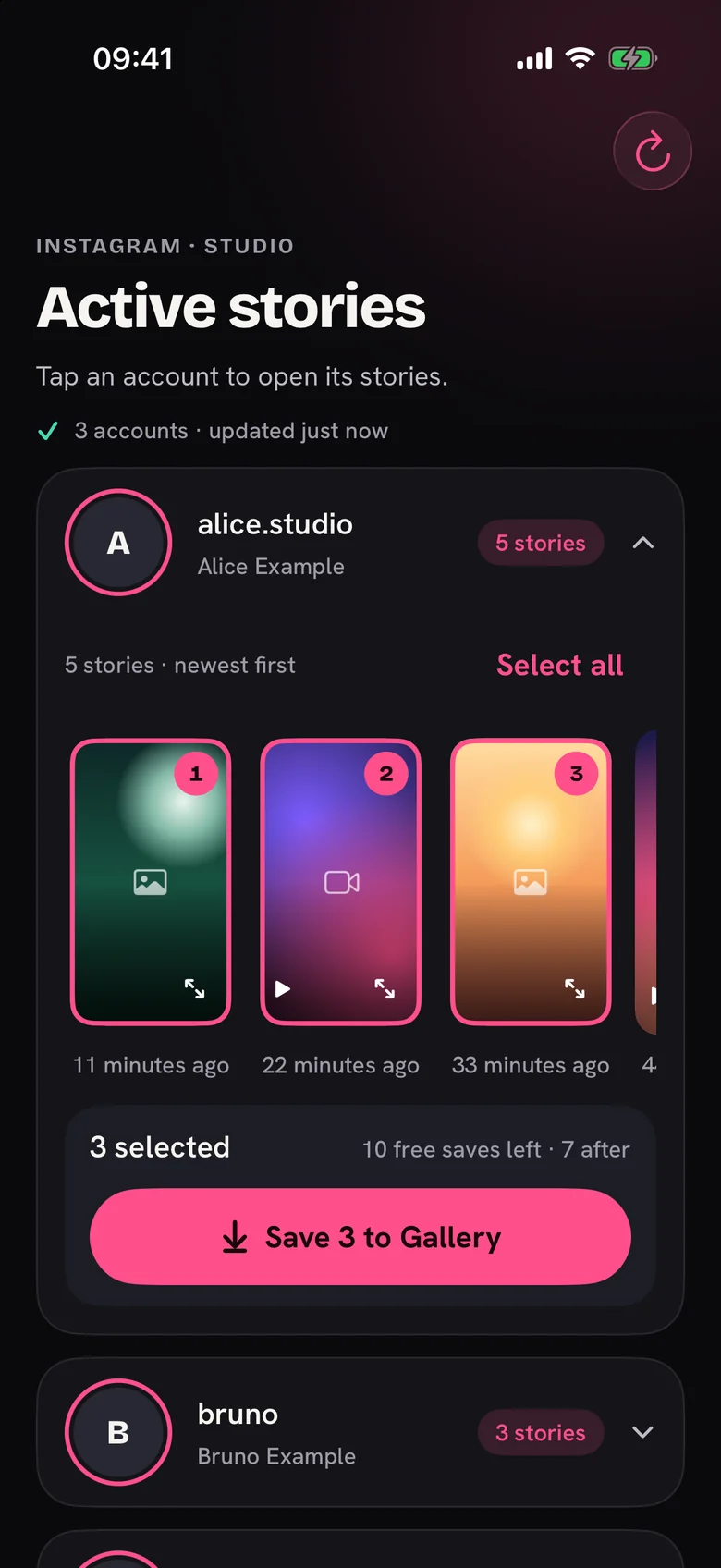
- Tap a story to select it. A number shows the order of your picks.
- Want the whole row? Tap Select all. Changed your mind about one? Tap it again.
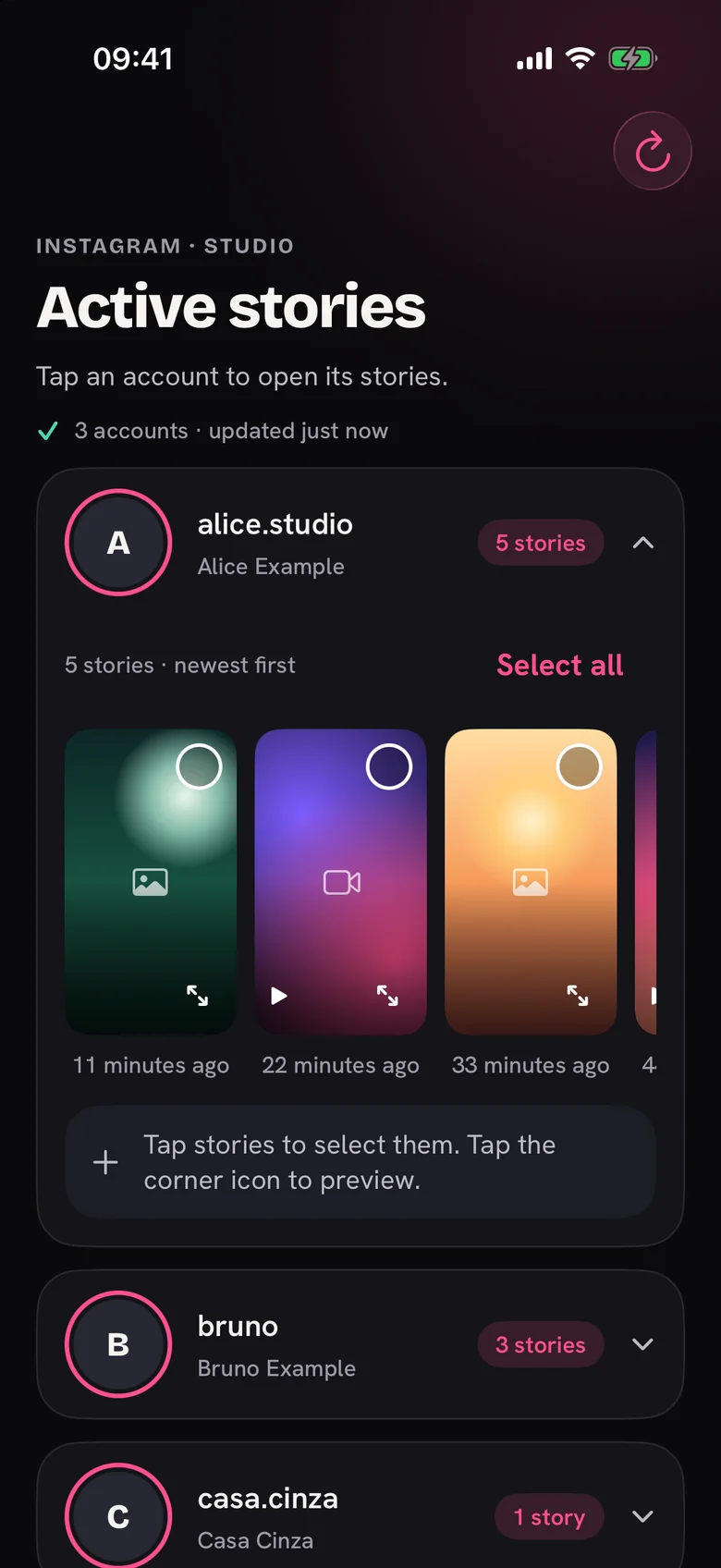
A small icon in the middle of each card tells you if it is a photo or a video, and videos also get a play symbol. Not sure about one? Tap the corner icon for a full-screen preview. Stories you already saved carry a green marker, which keeps you from saving the same thing on Monday and again on Tuesday.
Two things trip people up. Opening a second account closes the first row, and your picks go with it. And the list does not refresh by itself, so tap the refresh button at the top when you want the latest stories.
Done picking? The bar under the row shows the count and a save button. Saving is one tap from there.
Questions people ask
Why don’t I see an account in the list?
The list shows accounts you follow that have active stories right now. No story in the last 24 hours, or you don’t follow them, means no row. Tap refresh to load the latest list.
Can I save stories from two accounts at once?
One row is open at a time. Save from one account, then open the next.
Can I save a story that already expired?
No. After 24 hours Instagram removes it and it leaves the list. Anything you already saved stays in your photo gallery.
Does the person know I opened their stories?
Instagram sends no notice when a story is saved. But stories load through your signed-in account, so Instagram can still count you as a viewer, same as when you watch in Instagram.
Keep reading
How to save Instagram stories to your photo gallery
Save one story or many, follow the progress and fix a failed save.
How to preview an Instagram story before you save it
Open a full-screen preview from the corner of a story.
Saved markers: how to avoid saving a story twice
See what you saved with the app and avoid duplicates in your photo gallery.