 StoryFetcher
Story thumbnails are tiny, and half of them look like a sunset. Before you save the wrong one, open the preview. It shows the story full screen, so you can check that it is the one you want.
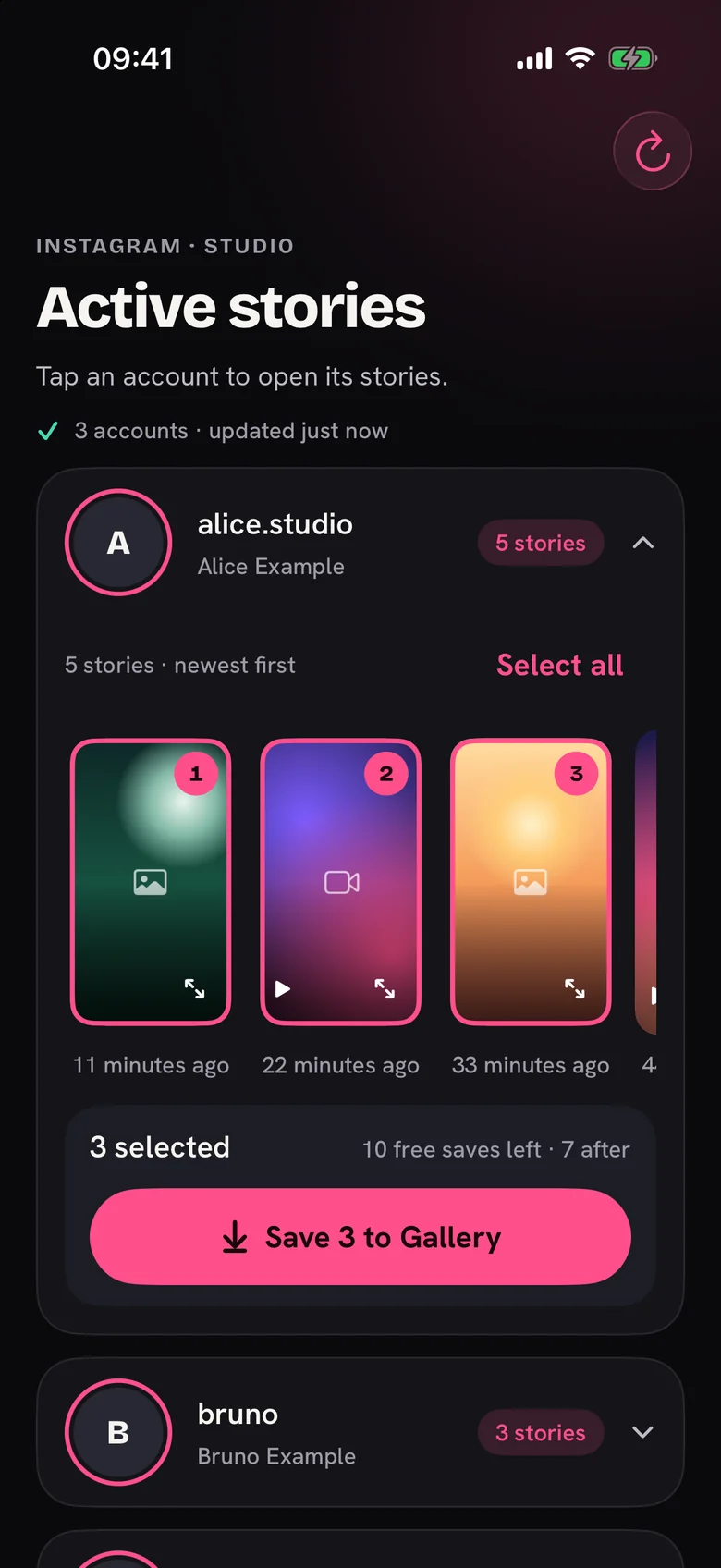
Here is the one thing to know: tapping a story selects it. To preview, tap the small corner icon at the bottom right of the card instead.
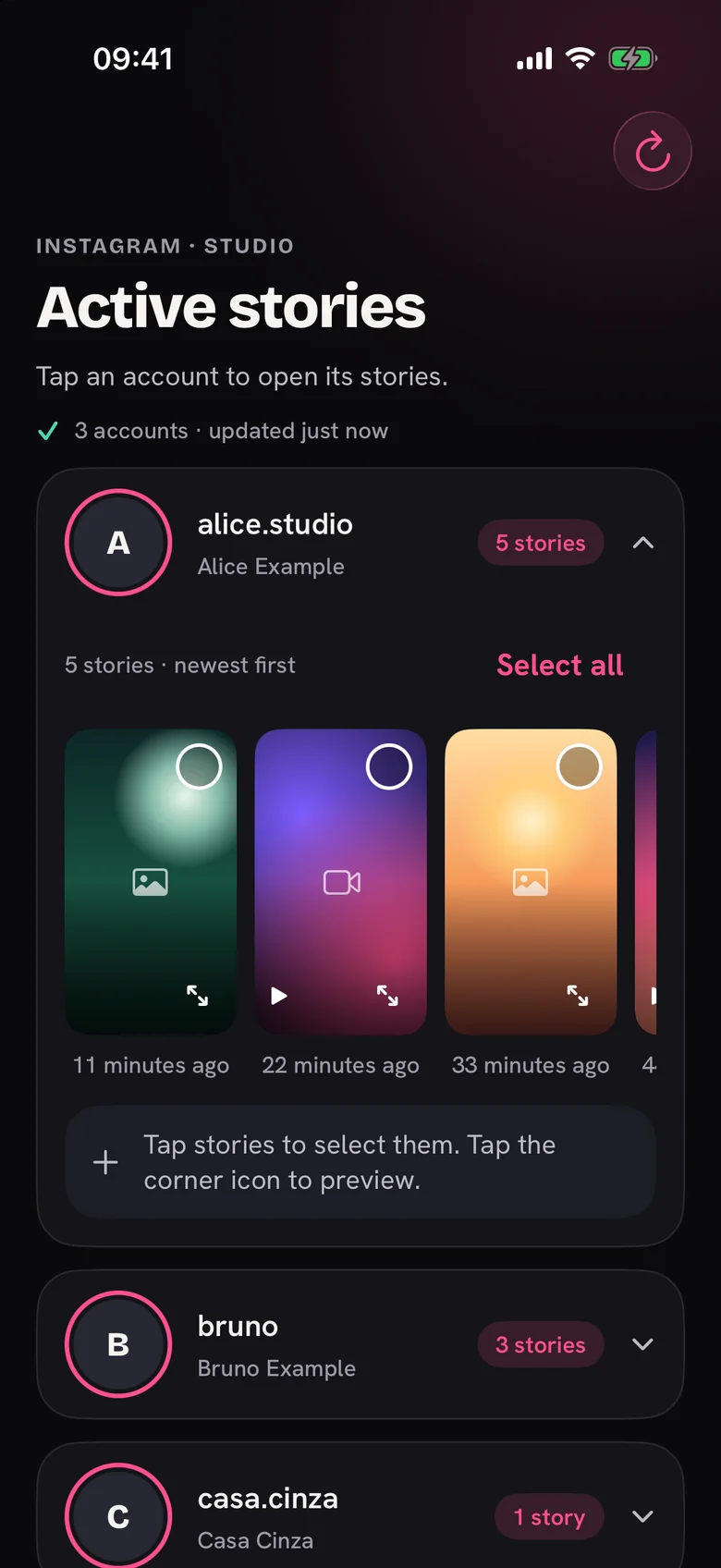
The preview tells you where you are, for example Story 1 of 5, and the arrows on the sides take you to the previous or next story. Photos show as they are. Videos come with play, pause and a scrubber, which is handy when the part you want is at second 12 of 15.
You can save right from the preview with the button at the bottom. It shows the progress, and if the save fails, nothing is counted and you can try again. Already saved that one? The button says Already saved, so you do not end up with two copies.
Close it with the X at the top. The row and your picks are exactly where you left them.
Questions people ask
Why does tapping a story select it instead of opening it?
Selecting is what you do most, so it gets the big tap area. The corner icon opens the preview.
Does the preview play sound?
It plays the video with its controls. Your phone’s volume and silent switch work as usual.
Does opening a preview use a free save?
No. Preview as many stories as you like. Only a save that reaches your photo gallery counts.
Want to pick several first? See How to choose the stories you want to save.
Keep reading
How to choose the Instagram stories you want to save
See active stories, newest first, and select the ones you want.
How to save Instagram stories to your photo gallery
Save one story or many, follow the progress and fix a failed save.
Saved markers: how to avoid saving a story twice
See what you saved with the app and avoid duplicates in your photo gallery.