 StoryFetcher
In this article
Saving an Instagram story to your phone should not take a screen recording, a crop and a prayer. With StoryFetcher you pick one story or ten, tap once, and they land in your photo gallery. Photos stay photos. Videos stay videos.
And no, the app cannot look at your library while it does this. It only has permission to add.
- Add an account and sign in, if you have not yet.
- Open the account in Downloads. Active stories shows who has stories right now.
- Tap a username. The row opens, newest first.
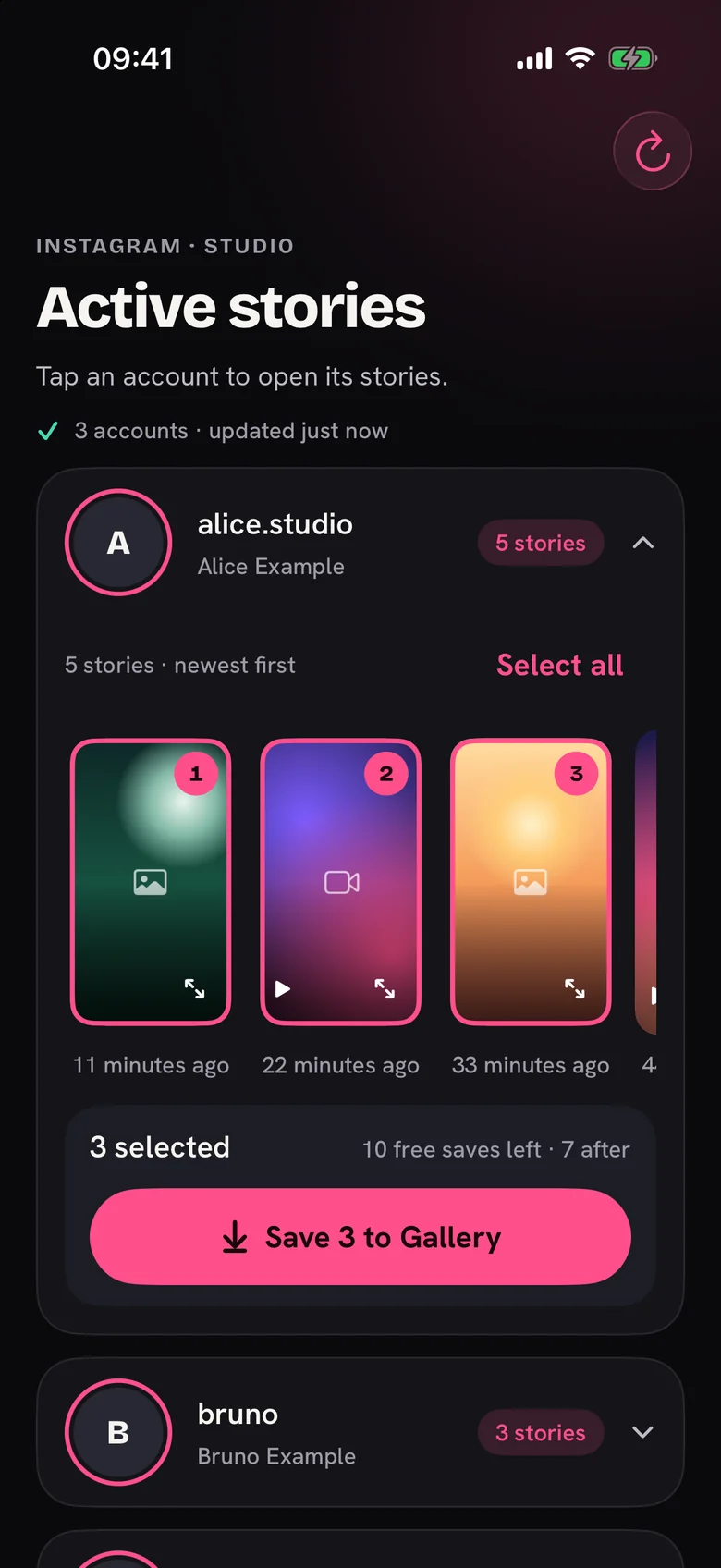
- Tap the stories you want. The number on each one is the order you picked it in.
- Check the count in the bar, then tap the save button.
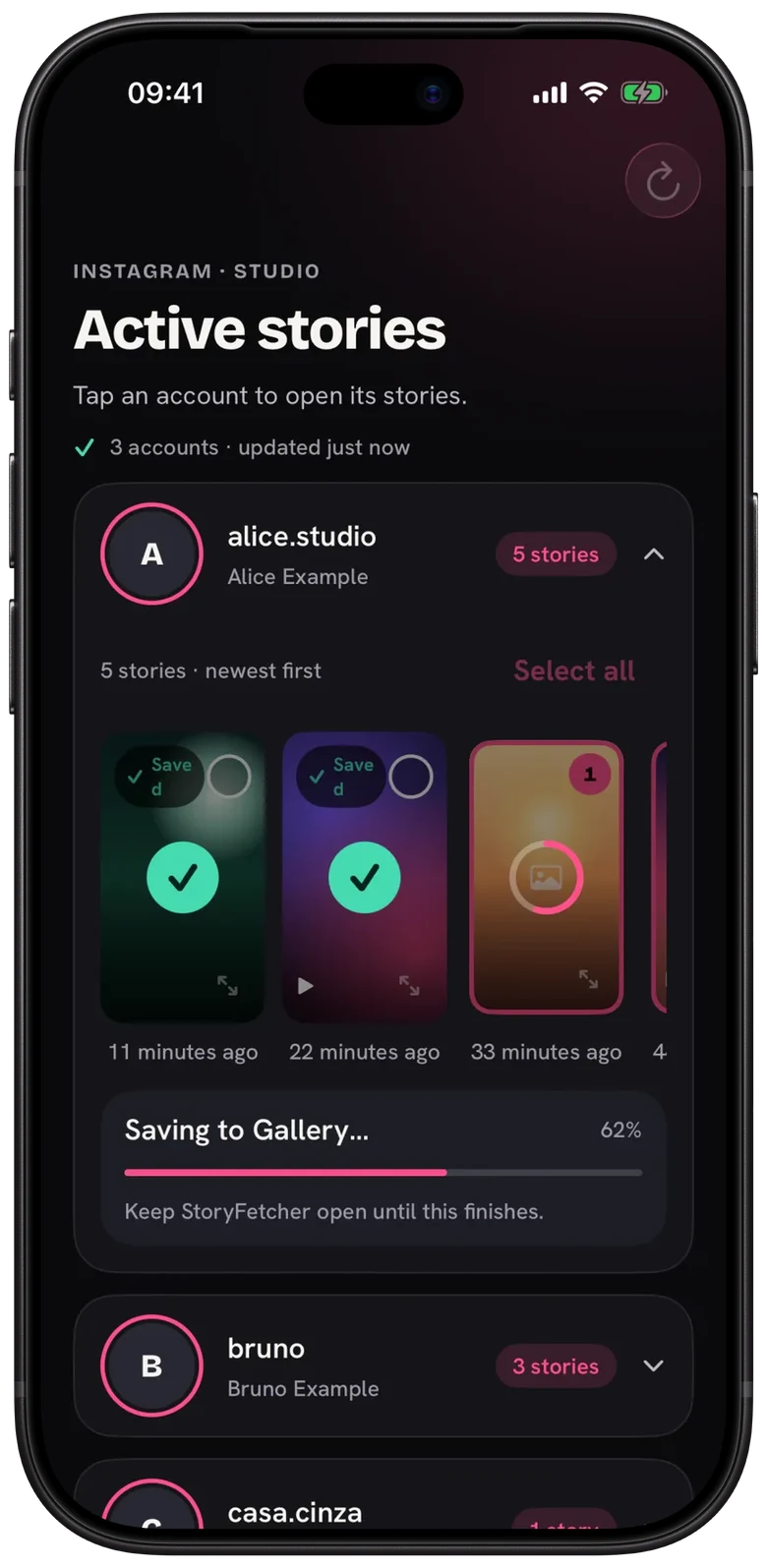
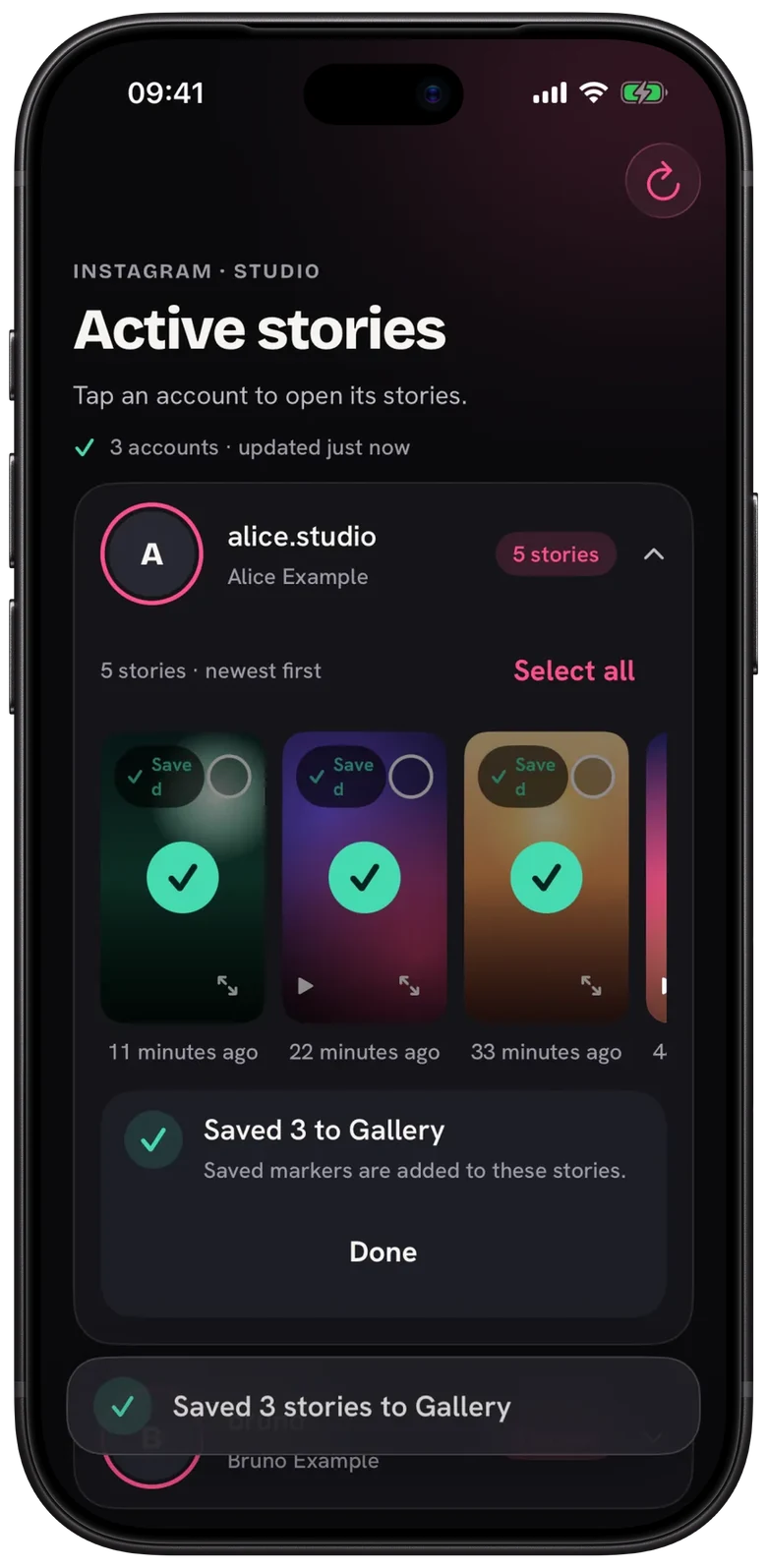
Each story gets its own progress ring, and the bar shows the total. Ring fills, green check, done. Keep StoryFetcher open until the last one finishes. I know, waiting is boring, but leaving the app is the number one reason a save stops halfway.
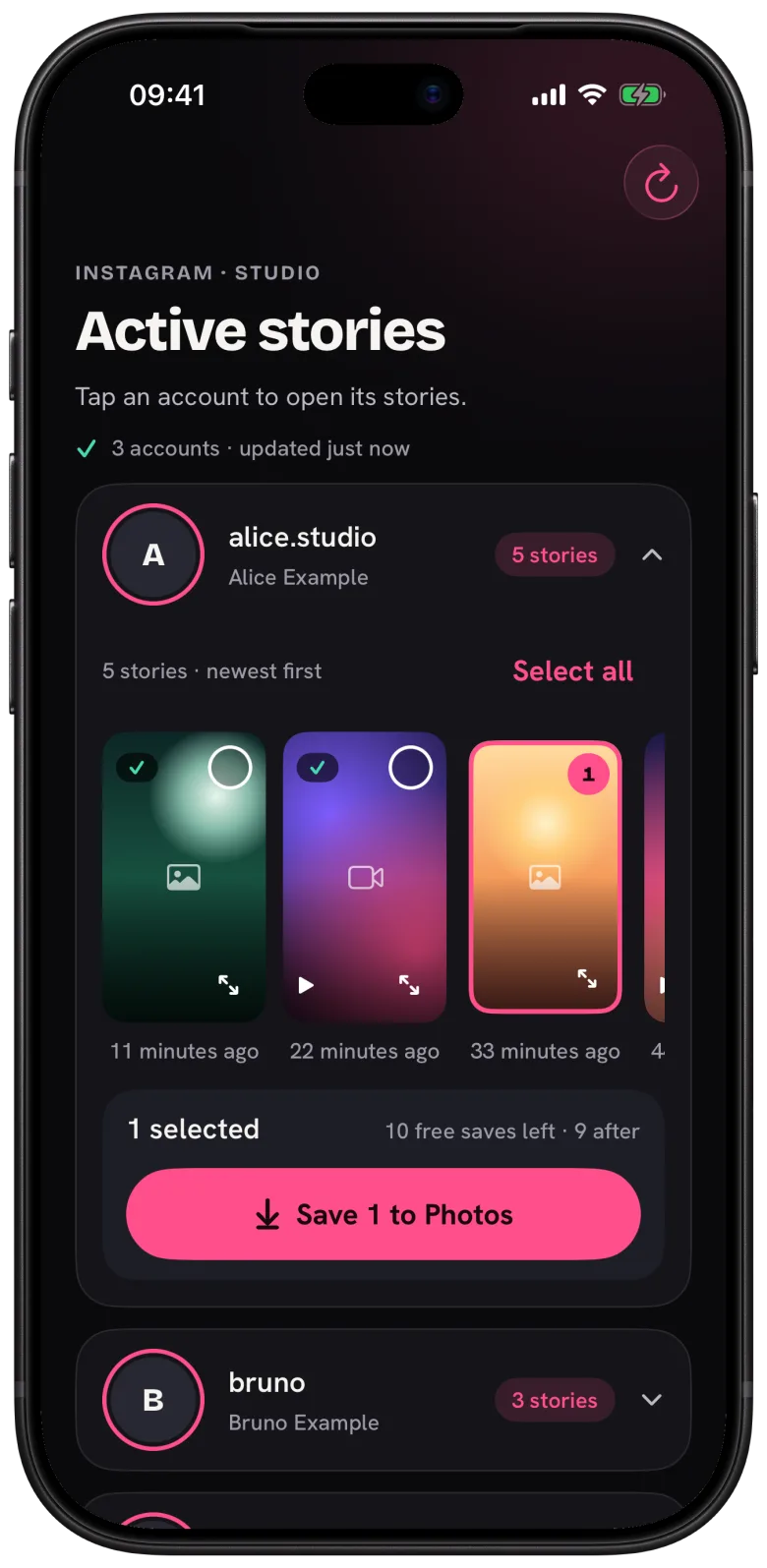
Before you tap save, the bar also tells you how many free saves you have now and how many you will have after. Each device gets 10, and only saves that reach your photo gallery count. A plan removes the limit.
When a save fails
It happens, and it costs you nothing: a failed save is not counted. Tap Try again, or Skip to move on. If the whole thing stopped because you left the app, tap Resume and whatever already saved stays saved. Picked something you saved before? The app asks first. The details are in A save failed or stopped and Saved markers and duplicates.
Questions people ask
Where do saved Instagram stories go?
To the photo gallery on your device. On iPhone and iPad that is the Photos app. On Android it is your phone’s gallery.
Can I save several stories at once?
Yes. Pick as many as you want in one row, or tap Select all, and save them together.
Does Instagram notify someone when I save their story?
Instagram sends no notice when a story is saved. Stories do load through your signed-in account, so Instagram can still count you as a viewer.
Do failed saves use my free saves?
No. Only saves that reach your photo gallery count against your 10.
Can I leave the app while it saves?
Better not. If you do and saving stops, come back and tap Resume. Stories already saved stay saved.
Keep reading
How to choose the Instagram stories you want to save
See active stories, newest first, and select the ones you want.
How to preview an Instagram story before you save it
Open a full-screen preview from the corner of a story.
Saved markers: how to avoid saving a story twice
See what you saved with the app and avoid duplicates in your photo gallery.