 StoryFetcher
Did I already save this one? If you check the same account every day, you will ask yourself that a lot. StoryFetcher answers with a marker: a small green check on every story the app already saved.
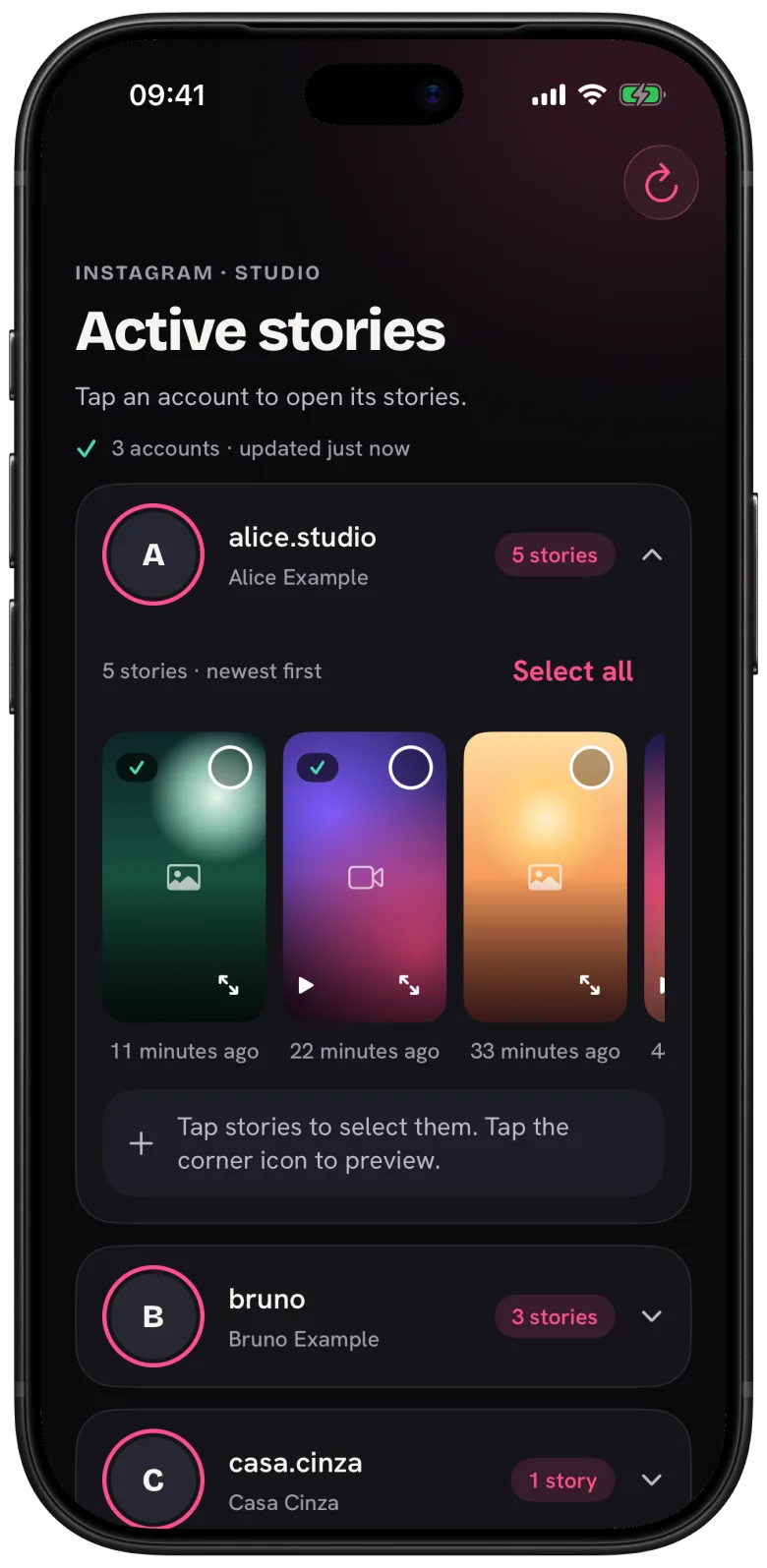
The marker has one limit, and it is on purpose. It only knows about saves made with StoryFetcher. The app never looks inside your photo gallery, so it has no idea about a story you saved some other way. Delete a saved story from your photo gallery and the marker stays in the app anyway. I would rather have that than an app that reads your photos.
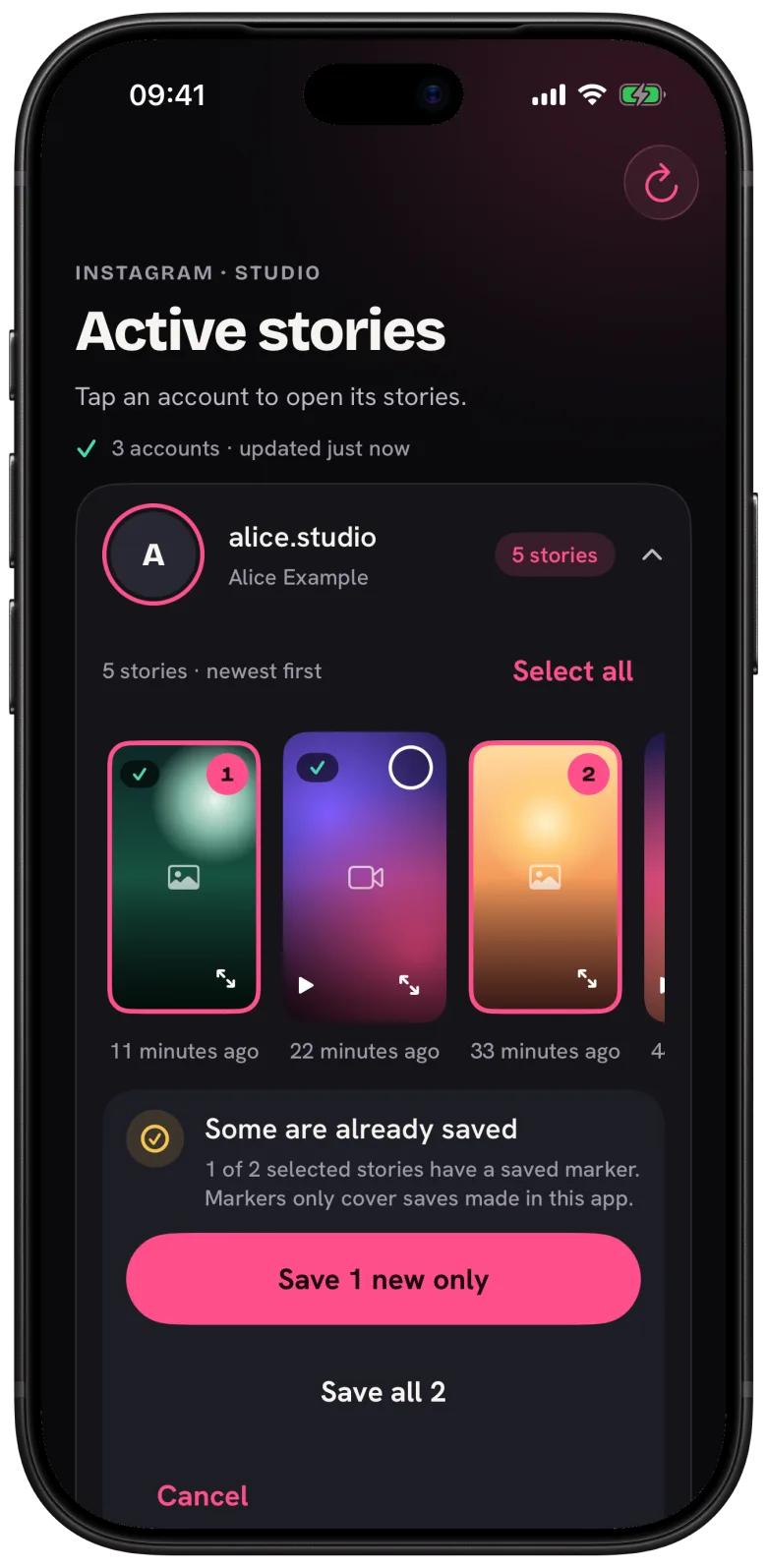
When your picks include a story with a marker, the app stops and asks before it makes a second copy. The panel Some are already saved gives you these options:
- Save new only skips the marked ones and saves the rest. This is the one you want most of the time.
- Save all saves everything you picked, marked ones included.
- Cancel takes you back to your picks.
The full-screen preview uses the same marker. A story you already saved shows Already saved on its button.
Questions people ask
Does saving a story again use a free save?
Yes. With no active plan, every new copy that reaches your photo gallery counts.
I deleted a story from your photo gallery. Can I save it again?
Yes, as long as it is still active on Instagram. Pick it and choose Save all when the app asks.
Do markers sync between my devices?
No. They stay on the device where you saved the story.
The whole flow is in How to save Instagram stories to your photo gallery.
Keep reading
How to choose the Instagram stories you want to save
See active stories, newest first, and select the ones you want.
How to save Instagram stories to your photo gallery
Save one story or many, follow the progress and fix a failed save.
How to preview an Instagram story before you save it
Open a full-screen preview from the corner of a story.